Colour vs Monochrome MFP: Which One Do You Need?
Choosing between a colour and monochrome multifunction printer (MFP) depends on how your business creates, shares, and manages documents. Both options can print, scan, copy, and perform other document-related tasks, but they serve different workplace needs. Colour MFPs support documents where visual communication matters. Monochrome MFPs focus on efficient black-and-white document production.
The right choice should not be based on colour capability alone. Print volume, document types, operating costs, media requirements, workflow, and department needs all deserve consideration. A business that prints invoices every day may have different requirements from one that produces brochures and presentations. Understanding these differences makes it easier to select an MFP that fits your actual workflow.
What Is a Multifunction Printer?
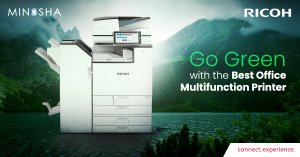
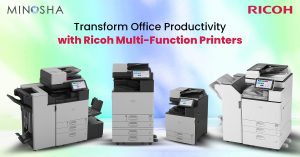
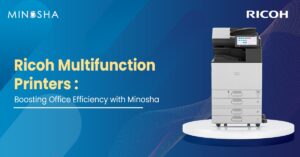
A multifunction printer combines several document functions within one device. Depending on the model, users can print, copy, scan, fax, store, and share documents from a single machine. Modern MFPs can also connect with cloud platforms, mobile devices, document management systems, and business applications. This makes them useful for workplaces that need more than basic printing.
MFPs are available in both colour and monochrome configurations. Colour models reproduce documents using multiple colours, while monochrome models primarily produce black-and-white output. The choice affects document appearance, operating requirements, and suitable applications. Businesses should therefore consider how employees use printed documents before selecting a configuration.
Colour MFPs: What Are They Designed For?
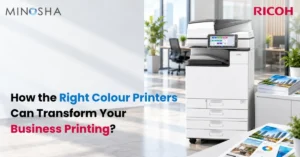
Colour MFPs are suited to workplaces where colour contributes to communication or document usability. Marketing materials, presentations, charts, reports, proposals, internal communications, and customer-facing documents may benefit from colour output. Colour can help distinguish information and make visual elements easier to interpret. It can also support consistent brand presentation across printed materials.
However, not every document requires colour. Printing routine text documents in colour can increase consumable usage without providing a meaningful benefit. Businesses with mixed requirements may need to establish printing rules or default settings that encourage employees to use colour when it serves a clear purpose. This can help balance functionality with operating costs.
Monochrome MFPs: When Do They Make Sense?
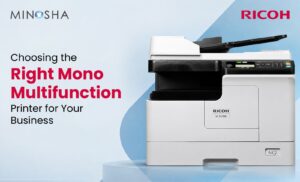
Monochrome MFPs are designed primarily for black-and-white document workflows. They can be suitable for invoices, forms, contracts, statements, internal reports, text-heavy documents, and other materials where colour is not essential. Their straightforward output makes them practical for departments with consistent black-and-white printing requirements. They can also support high-volume document workflows.
A monochrome setup can be particularly relevant when most documents contain text rather than graphics. Employees can still scan and copy colour originals on many multifunction devices, depending on the model’s capabilities. The key consideration is how frequently colour printing is actually required. If colour jobs are occasional, a separate colour device may sometimes complement a monochrome fleet.
Colour vs Monochrome MFP: Key Differences
| Factor | Colour MFP | Monochrome MFP |
| Print output | Produces colour and black-and-white documents | Produces primarily black-and-white documents |
| Best suited for | Marketing materials, presentations, reports, charts, and branded documents | Invoices, contracts, forms, reports, and text-heavy documents |
| Colour reproduction | Supports full-colour output | Does not produce colour output |
| Typical usage | Businesses with regular colour printing needs | Businesses with mostly black-and-white printing needs |
| Operating costs | Can be higher due to multiple colour consumables | Often simpler for black-and-white workflows |
| Document appearance | Suitable when visual impact and branding matter | Suitable when colour is not essential |
| Department suitability | Marketing, sales, design, management | Finance, HR, administration, operations |
| Print workflow | Handles both colour and monochrome jobs | Focused on monochrome jobs |
| Consumables | Requires black plus colour consumables | Primarily uses black toner |
| Colour-coded information | Can reproduce colour-coded charts and documents | Cannot reproduce colour coding accurately |
| Buying consideration | Useful when colour is a regular business requirement | Useful when black-and-white output dominates |
| Production requirements | Suitable for offices needing versatile document output | Suitable for offices focused on routine document production |
The distinction between colour and monochrome MFPs goes beyond whether a page contains colour. Each configuration can influence workflow design, document applications, consumable management, and purchasing decisions. Businesses should evaluate these factors based on actual usage rather than assuming one configuration will suit every department.
Colour MFP
Colour MFPs can be appropriate when:
- Visual documents are common: Presentations, charts, brochures, reports, and marketing materials can benefit from colour.
- Brand consistency matters: Businesses can reproduce brand colours across internal and external documents.
- Colour coding is useful: Different colours can help users identify categories, statuses, or key information.
- Customer-facing documents are frequent: Proposals, presentations, and information packs may require a more visual format.
- Multiple document types are handled: A colour MFP can accommodate workflows that move between standard text and colour-rich documents.
Monochrome MFP
Monochrome MFPs can be appropriate when:
- Most documents are text-based: Contracts, forms, invoices, and reports often do not require colour.
- Black-and-white output dominates: Departments with predictable monochrome workflows can use a device designed around that requirement.
- Document production is frequent: High-volume administrative printing can be handled through a dedicated monochrome workflow.
- Colour is rarely necessary: Occasional colour requirements can potentially be routed to another device.
- Simple document output is the priority: A monochrome setup can align well with straightforward office printing needs.
The choice ultimately depends on the relationship between document requirements and printing patterns. Some businesses may find a colour MFP practical across departments, while others may benefit from separating colour and monochrome workloads. A usage review can reveal which approach fits the organisation.
Print Volume and Frequency
Print volume is an important factor when choosing an MFP. A department producing a small number of colour documents each week has different requirements from one producing hundreds of colour pages every day. Businesses should examine monthly print volumes and identify how much of that output actually needs colour. This information can help determine the appropriate device configuration.
Frequency matters as well. A device used throughout the day needs to handle repeated print, scan, and copy requests without creating workflow bottlenecks. Users should consider paper capacity, output capacity, print speed, scanning speed, and recommended duty cycle. These specifications should be assessed alongside the actual workload rather than viewed in isolation.
Document Types and Applications
The documents produced by a business provide a useful starting point for choosing an MFP. Accounting departments may primarily produce invoices, financial statements, and administrative records. Sales teams may create proposals, presentations, and customer information packs. Marketing teams often have greater demand for colour because their documents contain images, graphics, and brand elements.
Different departments can therefore have different printing requirements. Instead of selecting one configuration for every employee, businesses can evaluate workflows by department or user group. This may result in a combination of devices across the workplace. Such an approach can help align equipment capabilities with the jobs each team performs.
Cost Considerations
Cost should be evaluated across the entire lifecycle of the MFP rather than only at the time of purchase. Consumables, paper, maintenance, energy consumption, service requirements, and downtime can all contribute to operating expenses. Colour printing may involve multiple consumables and additional considerations compared with a monochrome workflow. The actual cost depends on the device, usage patterns, coverage, media, and service arrangement.
Businesses should also consider the cost of unnecessary colour printing. If employees frequently select colour for documents that do not need it, consumable usage may increase. Print management tools can help organisations establish default settings, monitor usage, and apply departmental policies. This provides greater visibility into how the MFP fleet is being used.
Speed and Productivity
Print speed can affect productivity when employees handle frequent document requests. However, rated print speed is only one part of the workflow. Scanning speed, paper handling, processing time, automatic duplexing, finishing options, and job management can also affect how quickly a document moves from a digital file to a finished output.
A colour MFP may be appropriate where employees frequently switch between different types of documents. A monochrome MFP may be better aligned with departments that primarily process standard black-and-white documents. The objective is to match device capabilities with the way employees actually work. This can prevent both underutilisation and unnecessary investment in features that are rarely used.
Connectivity and Document Management
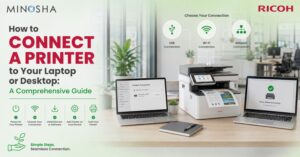
Modern MFPs increasingly function as connected document hubs rather than standalone printers. Depending on the model, users may be able to print from computers and mobile devices, scan directly to cloud services, authenticate before releasing documents, and integrate with document management platforms. These capabilities can affect workflow efficiency regardless of whether the device is colour or monochrome.
Security should also be considered when selecting an MFP. Business documents can contain financial information, customer details, contracts, or internal communications. Features such as user authentication, secure print release, access controls, encryption, and data protection can help organisations manage document security. The exact capabilities vary by device and configuration.
Choosing the Right MFP for Different Workplaces
A small office with primarily administrative documents may have limited need for colour output. A design, marketing, or sales environment may require colour more frequently. Larger organisations may have several departments with different requirements and could use a mixed fleet. There is no universal configuration because document workflows vary considerably between businesses.
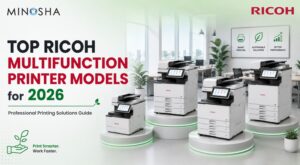
For organisations that need integrated printing, scanning, copying, and document management, a Ricoh multifunction printer can be evaluated based on the specific model’s features and configuration. Businesses should examine factors such as print speed, paper handling, connectivity, security, finishing, colour capability, and expected workload. A practical assessment should focus on the applications the device will actually support.
MFPs vs Production Printers
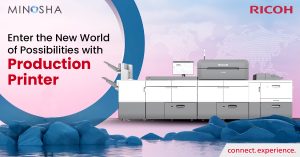
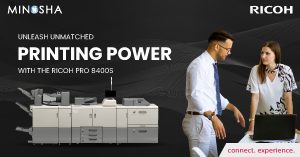
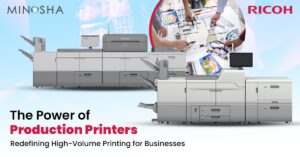
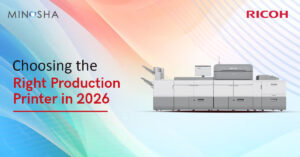
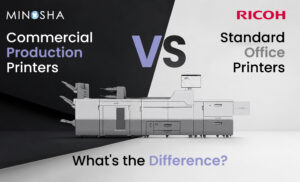
Office MFPs and production printers serve different operational requirements. An MFP is generally designed to combine everyday document functions in an office environment. Production equipment is designed for more demanding print environments where large volumes, specialised media, consistent output, and finishing capabilities may be central to the workflow.
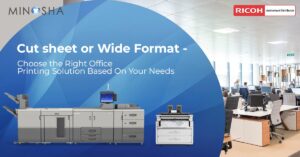
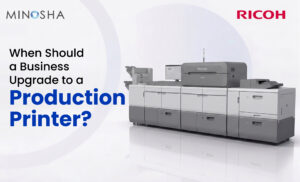
A business that occasionally produces a small batch of brochures may manage that work through an office MFP with suitable capabilities. A commercial print operation producing large quantities every day may need dedicated production equipment instead. Cut sheet production printer solutions are designed for workflows where individual sheets are processed at production scale, making them relevant to specific high-volume applications.
When Should You Choose a Colour MFP?
A colour MFP can be considered when colour is a regular part of business communication. Organisations that produce presentations, marketing documents, charts, proposals, branded materials, and customer-facing content may need convenient access to colour printing. Having colour available on demand can reduce the need to outsource smaller jobs or transfer files between devices.
The decision should still account for actual colour usage. If only one department needs colour, a dedicated colour MFP may be placed where that team works rather than providing colour capability to every user. Print management settings can also help control when colour output is selected. This creates a more targeted approach to colour printing.
When Should You Choose a Monochrome MFP?
A monochrome MFP can be considered when the majority of workplace documents are black and white. Administrative, finance, legal, operations, and back-office teams often handle documents where colour is not central to the information being communicated. A dedicated monochrome device can support these workflows without requiring colour capability for every print job.
It can also make sense when colour printing is handled elsewhere. For example, a company could use monochrome MFPs for routine documents while directing marketing materials to a colour device. This type of fleet strategy depends on office size, print volume, user locations, and document requirements. Usage data can help determine whether such a setup is practical.
The Role of MFPs in Commercial Printing
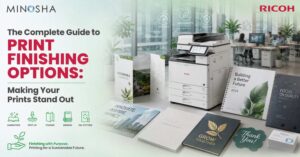
Businesses operating professional print environments have different requirements from typical offices. They may handle books, direct mail, transactional documents, brochures, catalogues, and other high-volume applications. In such environments, speed, media flexibility, automation, finishing, and workflow integration can become major considerations.
Commercial production printers are designed for these demanding workflows and should not be viewed as direct replacements for every office MFP. Instead, businesses should identify whether their needs fall within everyday office document production or professional print production. Understanding this distinction can prevent businesses from choosing equipment that does not match their workload.
How to Decide Between Colour and Monochrome?
Start by reviewing your current printing data. Identify total print volume, colour volume, common document types, departments, peak usage periods, and frequently used media. Then consider the functions employees need beyond printing, such as scanning, copying, finishing, mobile connectivity, and document management. This provides a practical foundation for comparing MFP configurations.
It is also worth considering future requirements. A business that expects its marketing, sales, or customer communication activities to grow may have increasing demand for colour output. Another organisation may be moving toward digital workflows and reducing overall print volumes. Reviewing both current and expected usage can help businesses select equipment that remains useful as their document environment changes.
Conclusion
The choice between a colour and monochrome MFP depends primarily on how an organisation uses printed documents. Colour MFPs support workflows where graphics, branding, charts, and visual communication are important. Monochrome MFPs can suit environments dominated by text-heavy and routine black-and-white documents. Print volume, applications, operating costs, connectivity, security, and workflow requirements should all form part of the decision.
For larger print environments, the assessment may extend beyond office MFPs to dedicated production equipment. The right solution depends on workload, media requirements, turnaround expectations, and finishing needs. By analysing actual printing behaviour before purchasing equipment, businesses can create a document infrastructure that aligns with their operational requirements. The result is a more informed equipment selection based on how documents are produced and used.