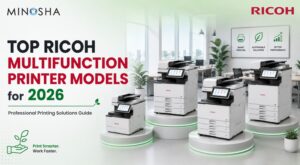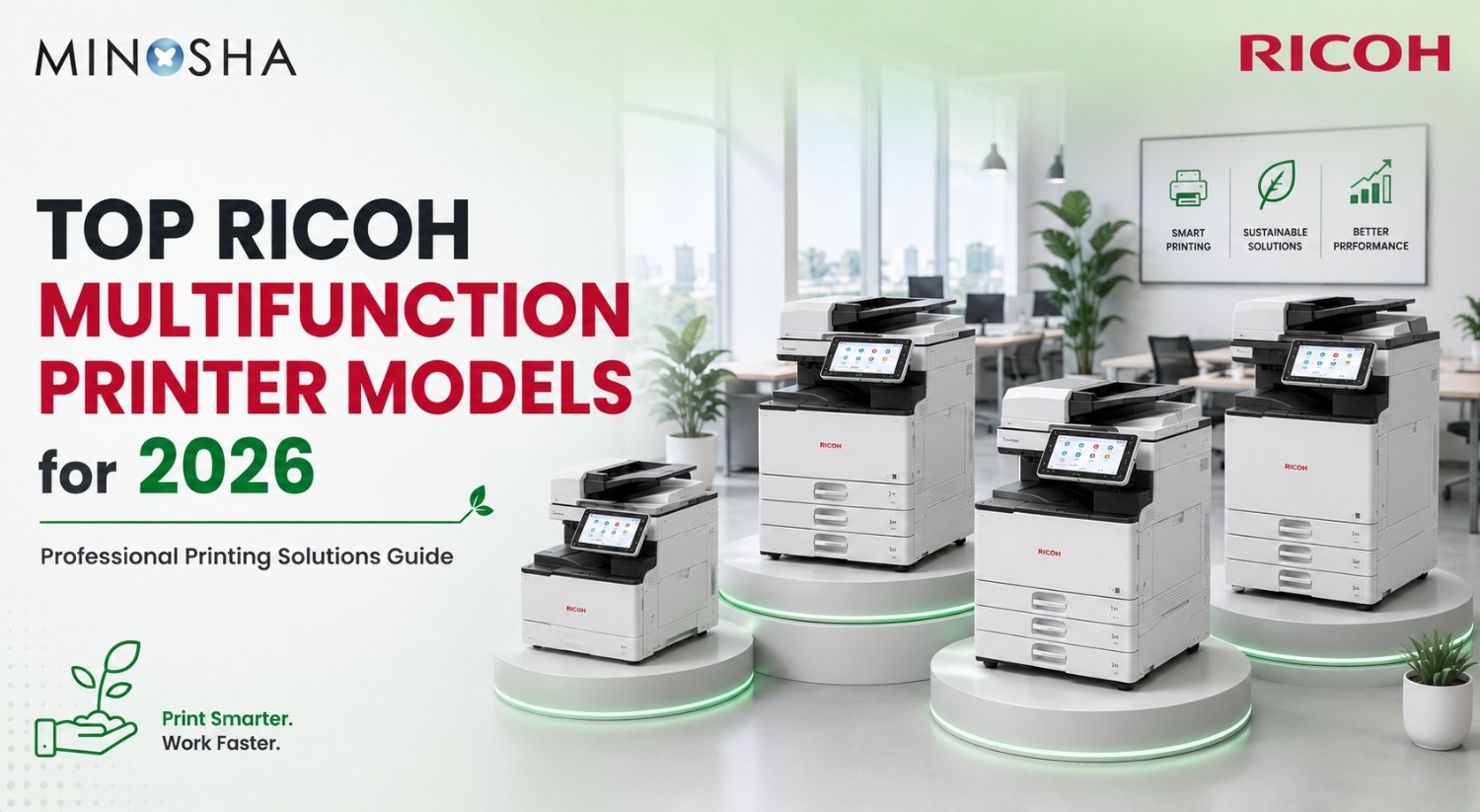
Top Ricoh Multifunction Printer Models for 2026: Complete Guide to Professional Printing Solutions
Choosing the right multifunction printer for your business isn’t just about finding equipment that prints—it’s about investing in technology that streamlines workflows, reduces costs, and delivers consistent quality across thousands of pages, which is why understanding the differences between available models becomes crucial before making a purchase decision. Ricoh has established itself as a leader in professional printing solutions by offering a comprehensive range of models designed for businesses of every size and need, from compact monochrome units perfect for small offices to high-speed color production machines built for demanding commercial environments that process tens of thousands of pages daily.
The company’s 2026 lineup addresses the full spectrum of business printing requirements through carefully engineered models that balance speed, capability, and cost-effectiveness. Whether you’re running a bustling corporate department, managing a print shop, or operating a medical practice with specific documentation needs, understanding the differences between these models helps you make informed decisions that impact your bottom line for years to come, since the wrong equipment choice leads to wasted money on unused features or, conversely, bottlenecks that frustrate staff and delay critical work.
This comprehensive guide examines Ricoh’s top multifunction printer models for 2026, comparing speeds, capabilities, color options, and ideal use cases to help you identify the perfect match for your specific requirements while avoiding common purchasing mistakes that plague organizations unfamiliar with the nuances separating one model from another.
Understanding Multifunction Printer Specifications
Before diving into specific models, you need to understand key specifications that determine whether equipment suits your operation, starting with pages per minute (PPM), which indicates printing speed—higher numbers mean faster output, making this metric critical for high-volume environments where delays translate directly into lost productivity. Paper size compatibility determines versatility, with A3 machines handling larger formats than standard A4 models, though this capability comes with larger equipment footprints and typically higher costs that may not justify themselves if you rarely print oversized materials. Color versus monochrome capability affects both purchase price and ongoing operational costs significantly, with color printing typically costing more per page but offering greater versatility for marketing materials and presentations that monochrome simply cannot match.
These specifications aren’t just technical details to gloss over—they directly impact productivity, cost efficiency, and whether a machine can handle your actual workload without becoming a bottleneck in your operations, which means investing time understanding them pays dividends throughout your equipment’s lifespan.
RICOH M 2310N: Entry-Level Monochrome Efficiency
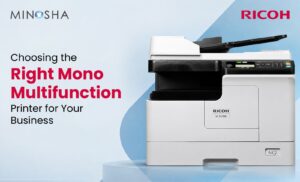
The RICOH M 2310N represents the ideal starting point for small businesses and offices requiring reliable monochrome printing without unnecessary complexity, delivering 23 pages per minute through its A3-capable design that maintains affordability while providing capabilities that exceed basic desktop printers. This model excels in environments where color printing isn’t essential—law offices producing contracts and briefs, accounting firms generating reports and financial documents, or educational institutions handling administrative paperwork all benefit from this focused approach that eliminates features they wouldn’t use anyway.
The A3 capability sets it apart from basic A4-only machines by allowing occasional printing of spreadsheets, diagrams, and other materials requiring larger format without sacrificing the compact footprint suitable for smaller office spaces, though organizations should honestly assess whether they need this capability before paying the premium it commands. The monochrome design keeps operational costs low because toner replacement remains inexpensive compared to color alternatives, and the simpler internal mechanism typically requires less maintenance over its lifespan, creating a total cost of ownership that appeals to budget-conscious operations watching every expense.
RICOH M 2810N: Enhanced Monochrome Performance
Step up to the RICOH M 2810N and you gain significant speed improvement—28 pages per minute compared to the M 2310N’s 23 PPM, representing a 22% increase that might seem modest on paper but accumulates into substantial time savings in real-world operations processing hundreds or thousands of pages daily. Like its smaller sibling, the M 2810N handles A3 paper sizes and focuses exclusively on monochrome printing, positioning it perfectly for busier offices that have outgrown entry-level equipment but don’t require color capabilities that would increase both initial investment and ongoing operational costs.
Law firms with multiple attorneys, medical clinics with higher patient volumes, or academic departments serving numerous faculty members benefit from the enhanced throughput because the speed advantage becomes particularly noticeable during peak usage periods when multiple staff members queue print jobs simultaneously. Those extra five pages per minute prevent the frustrating waits that plague slower machines, translating directly into improved productivity since staff spending less time waiting at printers means more time serving clients, patients, or customers who represent the actual revenue generators in any business.
IM C2010: Color Capability for Small Teams
The IM C2010 introduces color printing capability at 20 pages per minute, opening new possibilities for businesses whose communication depends on visual impact that monochrome printing simply cannot deliver regardless of how sophisticated the equipment might be. Marketing departments, design studios, real estate agencies, and any organization creating client-facing materials benefit enormously from in-house color printing that eliminates outsourcing delays and costs while providing complete control over timing and quality, advantages that often justify the higher per-page costs color printing commands.
This A3 color model occupies the entry position in Ricoh’s color lineup, and while 20 PPM represents slower output than the monochrome alternatives, remember that color printing involves significantly more complex processes—applying four separate toner colors with precise registration requires more time than simple black printing, making direct speed comparisons misleading. For many organizations, the trade-off proves worthwhile because color capability transforms communication effectiveness in ways that more than compensate for slightly slower output speeds, particularly when most jobs consist of relatively small page counts where speed differences become negligible.
IM C2510: Balanced Color Performance
Moving up to the IM C2510 brings speed to 25 pages per minute while maintaining A3 color capability, representing a 25% speed increase over the IM C2010 that positions this model for offices with heavier color printing demands or larger user populations sharing the equipment throughout the workday. Marketing agencies, corporate communications departments, and organizations heavily invested in visual branding find this model hits a sweet spot between capability and cost because it handles moderate production runs—invitations, flyers, newsletters, training materials—without the delays that frustrate users and derail schedules while avoiding the premium pricing commanded by higher-tier models.
Consider typical usage scenarios that reveal where this model shines: A real estate agency printing property brochures throughout the day needs reliable speed to keep agents supplied with current materials. A nonprofit creating event materials in-house rather than paying commercial printers requires consistent quality and reasonable throughput. A healthcare facility producing patient education materials with color diagrams and photos demands equipment that won’t create bottlenecks when staff need materials immediately, making the IM C2510’s balanced approach ideal for these middle-ground applications.
IM C3010: Popular Mid-Range Choice
The IM C3010 achieves 30 pages per minute, establishing itself as perhaps the most popular model in Ricoh’s lineup for good reason—this speed handles substantial workloads while remaining affordable for mid-sized operations, and the A3 color capability delivers versatility that serves diverse needs across growing organizations with varied printing requirements. This model represents the workhorse category—reliable, capable, and appropriately sized for the majority of business environments, which explains why corporate offices, educational institutions, healthcare facilities, and professional services firms consistently select it.
The IM C3010 provides ample capacity without overshooting actual requirements, a balance that optimizes value by avoiding both the frustrations of underpowered equipment and the waste of paying for capabilities that never get used. Thirty pages per minute processes significant volumes efficiently; an office printing 1,000 color pages daily completes this workload in roughly 33 minutes of actual printing time—easily managed alongside normal operations without creating bottlenecks that interrupt workflows. Compare this to slower models where the same volume might require 50+ minutes, and the productivity advantage becomes clear, especially during peak periods when timing matters most.
IMC3510: Enhanced Departmental Solution
At 35 pages per minute, the IMC3510 caters to busier environments requiring faster throughput while maintaining the A3 color versatility that defines Ricoh’s IM C series, serving large departments, satellite offices of major corporations, or small to medium print-for-pay operations handling customer jobs alongside internal work. The speed increase over the IM C3010 might appear incremental—just five additional pages per minute—but for operations processing 2,000-3,000 color pages daily, this translates to meaningful time savings that accumulate throughout the workday.
IM C4510: High-Volume Color Workhorse
The IM C4510 steps into serious production territory at 45 pages per minute, creating an A3 color powerhouse that handles demanding workloads which would overwhelm lighter-duty equipment and leave users frustrated with constant delays and bottlenecks. Commercial print shops, corporate print centers, educational institution central printing facilities, and large-format design studios operating at production scale find this model delivers the speed and reliability their operations demand because anything slower would create unacceptable delays that ripple through their entire workflow.
Forty-five pages per minute transforms what’s possible with in-house printing by enabling marketing departments to produce event materials, sales collateral, and presentation packages in volumes previously requiring outsourcing to commercial printers. Design studios can proof client work and produce short-run materials economically while maintaining complete control over timing and quality, and educational institutions can handle course materials and administrative printing for entire campuses from centralized facilities rather than distributing equipment across multiple locations.
IM C6010: Premium Production Performance
The IM C6010 represents Ricoh’s flagship A3 color multifunction printer, delivering 60 pages per minute for organizations with the most demanding requirements that lesser equipment simply cannot satisfy regardless of how many units you deploy. Commercial print operations, large corporate print centers, government agencies, and educational institutions serving thousands of users rely on this level of capability because their volumes and user populations would overwhelm anything less powerful, creating bottlenecks that disrupt operations and frustrate everyone involved.
Sixty pages per minute handles serious production volumes in ways that change operational possibilities entirely; organizations printing 10,000+ color pages daily can complete this workload in under three hours of actual print time, leaving ample capacity for additional jobs while maintaining responsive service. This throughput supports multiple concurrent users without the congestion and delays that plague undersized equipment where users compete for limited capacity, creating tension and workflow disruptions that damage productivity and morale.
IM C300F: Compact Color Alternative
The IM C300F breaks the pattern of the other models by offering A4 size capability rather than A3, delivering color printing at 30 pages per minute in a compact format that serves organizations where larger paper sizes aren’t required but color capability remains essential for their communication needs. Many businesses never print anything larger than standard letter or A4 size paper, making A3 capability wasted investment and excessive equipment footprint that consumes valuable office space without delivering corresponding benefits.
For these operations, the IM C300F delivers full color capability in a smaller, more space-efficient package that fits comfortably in tighter office environments where every square foot commands premium value. Think of reception areas, satellite offices with limited space, professional services firms operating from smaller commercial suites, or departmental installations where floor space constraints make compact equipment not just preferable but necessary, and the IM C300F’s reduced footprint provides meaningful advantages without sacrificing color quality or reasonable speed.
Choosing the Right Ricoh MFP Model for Your Needs
Selecting the optimal Ricoh multifunction printer requires honest assessment of your actual requirements rather than aspirational wants that inflate costs without improving outcomes, starting with calculating average daily page volumes—both total pages and specifically color pages if considering color models. Most organizations dramatically overestimate their actual printing needs, leading to oversized equipment purchases that never approach full utilization and represent wasted capital that could have funded other business priorities.
- Consider your space constraints carefully because A3 capability sounds attractive until you realize the equipment footprint in your cramped office, forcing you to evaluate whether you genuinely print materials requiring larger formats frequently enough to justify the extra space and cost. Occasional A3 needs might be better handled through print services while daily operations use more compact A4 equipment that fits available space without crowding work areas, though organizations with regular large-format requirements obviously need the capability regardless of space challenges.
- Budget plays the obvious role, but think beyond initial purchase price to calculate total cost of ownership including toner and consumables, maintenance contracts, energy consumption, and expected lifespan—sometimes higher-tier equipment delivers better long-term value despite elevated upfront costs because of superior efficiency and reliability over time. Growth projections matter for avoiding premature obsolescence since if your business is expanding rapidly, selecting equipment with headroom above current needs prevents quickly outgrowing your investment, while conversely, stable or mature operations benefit from precisely matching capability to actual demand.
Monochrome vs Color Decision Making
The choice between monochrome and color capability represents a fundamental decision point affecting both equipment costs and ongoing operational expenses, with monochrome printers like the M 2310N and M 2810N costing less initially and maintaining significantly lower per-page operating costs—often 75-80% less than color printing for equivalent pages. Organizations whose output consists primarily of text documents—contracts, reports, correspondence, forms, internal memos—often find color capability unnecessary despite initial appeal, and the cost savings over thousands or tens of thousands of monthly pages accumulate substantially.
However, businesses creating client-facing materials, marketing collateral, educational content, or visual presentations find color capability transforms their communication effectiveness in ways that justify the elevated operating costs through improved response rates, better comprehension, and enhanced professional image. The ability to produce professional-looking materials in-house, on-demand, without outsourcing delays or costs provides strategic advantages that more than compensate for higher per-page expenses, particularly when timing matters and commercial printing turnaround times would miss critical deadlines.
Many organizations benefit from mixed deployments where color equipment serves departments creating external communications like marketing, sales, and customer service, while monochrome machines handle areas focused on internal documentation such as accounting, legal, HR, and administration. This targeted approach optimizes costs while ensuring appropriate capability where it delivers value, avoiding the waste of providing color printing to everyone when many users never need it while ensuring those who do have ready access.
Speed Considerations and Realistic Assessments
Pages-per-minute ratings heavily influence purchasing decisions, yet organizations frequently misunderstand what these numbers mean in practice since manufacturers rate speeds under ideal conditions—single-sided printing of simple documents using standard paper weights—while real-world performance typically runs slower. Duplex printing, complex graphics, heavier paper stocks, and warm-up periods between jobs all reduce effective throughput, sometimes to 40-60% of rated speeds depending on your specific usage patterns and job characteristics.
Calculate realistic throughput based on your actual usage rather than manufacturer specifications because if you primarily print duplex documents with graphics on heavy paper, expecting rated speeds will leave you disappointed with equipment that’s actually performing exactly as designed. This doesn’t indicate equipment problems—it reflects the reality that complex jobs take more time than simple pages, and understanding this helps set appropriate expectations while ensuring you select equipment with adequate capacity.
Consider peak demand periods rather than average volumes because your equipment might handle average daily volumes comfortably but create bottlenecks during quarter-end reporting, event preparation, or semester startup when volumes spike dramatically. Equipment selected based solely on average usage frustrates users and disrupts operations precisely when responsiveness matters most, making it smart to select equipment rated 25-50% above average daily requirements to provide comfortable headroom.
Final Recommendations
For small offices and budget-conscious operations focused on text documents, the RICOH M 2310N delivers essential capability economically, while organizations experiencing growth or higher volumes benefit from upgrading to the M 2810N’s enhanced speed while maintaining monochrome’s cost advantages. Entry into color printing begins logically with the IM C2010 for light color needs or the IM C2510 for moderate color volumes, though the IM C3010 represents the sweet spot for many mid-sized operations by balancing capability and cost effectively.
Growing departments and organizations with substantial color demands should evaluate the IMC3510, while serious production environments require the IM C4510 or IM C6010 depending on volume requirements that determine which model provides appropriate capacity. Space-constrained operations without A3 needs find ideal solutions in the compact IM C300F, which delivers full color capability without the footprint premium that larger models demand.
Ricoh’s 2026 lineup addresses the complete spectrum of business printing needs through carefully segmented models offering clear upgrade paths as organizations grow, and understanding your actual requirements—honestly assessed rather than aspirationally imagined—leads to optimal equipment selection that serves your needs without wasteful over-investment in unused capability.