Explained: Duty Cycle, Throughput, and Print Resolution in Production Printers
Shopping for a new printer feels like learning a foreign language. Manufacturers throw around technical terms that sound impressive but leave you confused. Duty cycle, throughput, print resolution – what do these actually mean? More importantly, how do they affect your daily printing operations?
You’re not alone in feeling overwhelmed. These specifications determine whether a printer meets your needs or becomes an expensive paperweight gathering dust. Understanding them helps you make smart purchasing decisions and avoid costly mistakes.
Let’s break down these critical specifications in plain English. By the end of this guide, you’ll know exactly what to look for when evaluating printers for your business.
What is the Duty Cycle of a Printer?
Think of duty cycle as your printer’s monthly workout capacity. Just like a person can only run so many miles before needing rest, printers have limits on how many pages they can produce each month without breaking down.
Duty cycle represents the maximum number of pages a printer can handle in a month while maintaining reliability. Manufacturers test their machines extensively to determine this number. It’s not just a guess – it’s based on engineering data about component wear and tear.
For example, a printer with a 100,000-page monthly duty cycle can theoretically print 100,000 pages in 30 days. However, consistently maxing out the duty cycle shortens the printer’s lifespan significantly. It’s like driving your car at maximum speed all the time. Sure, it can do it, but you’ll need repairs much sooner.
Smart businesses aim to use about 70% of the stated duty cycle. If you print 50,000 pages monthly, look for printers with duty cycles around 70,000 pages or higher. This buffer zone keeps the machine running smoothly and extends its working life.
Why does duty cycle matter so much? Exceeding it regularly causes multiple problems. Components wear faster than designed. Print quality deteriorates. Parts break more frequently, requiring expensive repairs. Downtime increases, disrupting your workflow and frustrating customers.
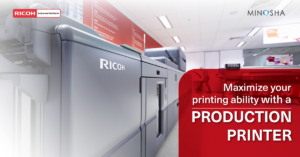
Small office printers typically have duty cycles between 3,000 and 10,000 pages monthly. Mid-range business printers handle 20,000 to 50,000 pages. The best production printers offer duty cycles exceeding 100,000 pages per month, with some reaching 300,000 or more. These industrial-grade machines withstand the demands of high-volume printing operations.
Calculate your actual monthly printing needs before shopping. Check your current printer’s usage statistics if possible. Most modern printers track page counts in their settings menu. Add 20-30% growth room to account for business expansion. This calculation gives you a realistic duty cycle requirement.
Don’t confuse duty cycle with recommended monthly volume. Recommended volume represents the ideal usage range for optimal performance and longevity. It’s typically 10-30% of the maximum duty cycle. A printer with a 100,000-page duty cycle might have a recommended volume of 10,000-30,000 pages monthly.
What is Meant by the Throughput of a Printer?
Throughput measures how fast a printer completes jobs. Unlike duty cycle, which looks at monthly capacity, throughput focuses on immediate performance. It tells you how quickly you’ll get your prints.
Most manufacturers advertise throughput in pages per minute (PPM). A printer rated at 50 PPM should produce 50 pages every minute, right? Well, not exactly. This number comes with important caveats.
PPM ratings typically measure simplex printing – single-sided pages with minimal coverage. Real-world jobs often involve duplex printing (both sides), complex graphics, or photos requiring more ink. These factors slow down actual output significantly.
Color printing also affects throughput. Many printers have different speeds for black-and-white versus color printing. A machine might print 60 PPM in black-and-white but only 40 PPM in color. Check both specifications if you print in color regularly.
First-page-out time matters too, especially for short jobs. This measures how long before the first page emerges after sending a print command. Some printers need warm-up time or processing delays before printing begins. If you print many small jobs throughout the day, these delays add up significantly.
Consider your workflow patterns when evaluating throughput. A print shop producing 500-page booklets benefits more from sustained high speed than quick first-page-out time. An office printing occasional documents might prioritize fast first-page delivery over maximum PPM.
Newer digital copiers often feature impressive throughput specifications, combining copying, printing, and scanning functions at high speeds. These multifunctional machines excel in busy office environments where versatility matters as much as speed.
Network speed impacts throughput too. A fast printer can’t perform if your network connection bottlenecks data transfer. Large files sent over slow networks create delays regardless of printer capability. Ensure your network infrastructure supports your printer’s potential speed.
Processing power affects complex print jobs. Modern printers contain sophisticated computers that interpret and prepare data for printing. Insufficient processor power slows complex graphics, causing the printer to pause between pages. Higher-end machines include powerful processors that maintain speed even with demanding jobs.
What is Printer Resolution?
Print resolution determines how detailed and sharp your prints appear. Measured in dots per inch (DPI), resolution describes how many individual dots the printer places in a one-inch line. Higher numbers mean more dots and finer detail.
Most modern printers offer resolutions between 600 and 2400 DPI. Entry-level machines typically print at 600 DPI. Professional production printers reach 1200 DPI or higher. Some specialty photo printers achieve 4800 DPI or beyond.
Does higher resolution always mean better quality? Not necessarily. The relationship between resolution and perceived quality is more nuanced than simple numbers suggest.
For text documents, 600 DPI produces perfectly readable, professional-looking results. Most people can’t distinguish 600 DPI text from 1200 DPI text without magnification. The difference becomes negligible for standard business communications.
Resolution matters more for images and graphics. Photographs, gradients, and detailed illustrations benefit from higher resolution. At 600 DPI, you might notice slight jaggedness in curved lines or rough edges on diagonal elements. At 1200 DPI, these same elements appear smooth and refined.
Color printing demands higher resolution than black-and-white. Color images contain subtle variations and gradients that lower resolutions can’t reproduce accurately. If you print marketing materials, product photos, or artistic content, prioritize higher resolution capabilities.
However, resolution alone doesn’t guarantee quality. Other factors influence final output significantly. Paper quality affects how sharply ink or toner sits on the surface. Poor quality paper makes even high-resolution prints look fuzzy. Ink or toner quality impacts color accuracy and vibrancy.
The printer’s technology matters too. Inkjet and laser printers create images differently. Inkjet printers spray tiny droplets of liquid ink. Laser printers use heat to fuse powder toner onto paper. Each technology has strengths and weaknesses that affect apparent quality regardless of resolution specifications.
Some manufacturers advertise enhanced or interpolated resolution. These technologies use software to simulate higher resolution than the printer physically produces. While sometimes effective, enhanced resolution doesn’t match true optical resolution. Always check for actual, native resolution specifications.
How These Factors Work Together?
Understanding duty cycle, throughput, and resolution individually helps, but seeing how they interact provides complete clarity. These specifications don’t exist in isolation – they influence each other and your overall printing experience.
A printer with high throughput but low duty cycle creates problems. Yes, it prints fast, but it can’t sustain high-volume operations without breaking down. You’ll achieve impressive speeds for a few days before needing repairs. This combination suits occasional burst printing but fails for consistent heavy use.
Conversely, high duty cycle with low throughput means reliability but frustration. The machine handles large monthly volumes without complaint, but individual jobs take forever. You’ll spend excessive time waiting for prints to finish. This setup works for background printing where speed doesn’t matter, but frustrates users needing quick turnarounds.
High resolution typically reduces throughput. The printer places more dots per inch, requiring more time and processing power. A machine printing at 60 PPM in standard mode might drop to 30 PPM in high-resolution mode. Balance quality needs against speed requirements when choosing settings.
Your specific use case determines the ideal balance. A photography studio prioritizes resolution over throughput – quality trumps speed. A busy law office printing contracts and briefs needs high throughput and duty cycle with moderate resolution. A marketing agency requires all three: quality for client materials, speed for efficiency, and capacity for large campaigns.
Making Informed Decisions
Armed with understanding, you can evaluate printers intelligently. Start by analyzing your needs honestly. Track your current printing volumes for several months. Note your busiest periods – many businesses experience seasonal fluctuations.
Calculate required duty cycle by taking your peak monthly volume and multiplying by 1.5. This provides comfortable headroom for growth and unexpected demands. If you printed 40,000 pages during your busiest month, look for duty cycles around 60,000 or higher.
Evaluate throughput based on typical job sizes and urgency. If you regularly print lengthy documents with deadlines, prioritize speed. For occasional printing, moderate throughput suffices. Don’t pay for speed you won’t use.
Consider resolution requirements for your most demanding jobs. If high-quality photo prints represent 10% of your volume, you might choose moderate resolution and outsource specialty work. If marketing materials constitute 50% of your printing, invest in higher resolution capabilities.
Read reviews from actual users, not just professional reviewers. Real-world experiences reveal whether specifications translate into practical performance. Users report issues like reliability problems, hidden costs, or performance that doesn’t match advertised specs.
Compare total cost of ownership, not just purchase price. A cheaper printer with frequent repairs and short lifespan costs more than a reliable machine with higher initial investment. Factor in maintenance, supplies, energy consumption, and expected lifespan.
Test printers when possible. Many vendors offer demonstrations or trial periods. Print your actual files – don’t rely on manufacturer samples. Your documents reveal whether throughput, quality, and reliability meet your needs.
Common Mistakes to Avoid
Many businesses make predictable errors when evaluating these specifications. Learning from others’ mistakes saves money and headaches.
- Don’t assume bigger numbers always equal better value. Excessive capacity you’ll never use wastes money. A small office doesn’t need a 300,000-page duty cycle. Match specifications to realistic needs rather than aspirational ones.
- Avoid focusing exclusively on one specification while ignoring others. Blazing speed means nothing if print quality looks unprofessional. High resolution doesn’t help if the duty cycle can’t support your volume. Balance matters more than excelling in a single area.
- Don’t forget about environmental conditions. Printers perform best within specific temperature and humidity ranges. A machine rated for 100,000 pages monthly might struggle in extremely hot or humid environments. Consider your actual working conditions when evaluating specifications.
- Never skip the fine print in specification sheets. Manufacturers sometimes list best-case scenarios that don’t reflect typical performance. “Up to 60 PPM” might mean 60 PPM only for simple black-and-white text on specific paper. Your actual jobs might run at 30 PPM. Understand the testing conditions behind published numbers.
The Bottom Line
Duty cycle, throughput, and print resolution aren’t just technical jargon – they’re practical specifications that determine whether a printer meets your needs. Duty cycle prevents burnout and breakdowns. Throughput determines productivity and efficiency. Resolution ensures professional-quality output.
Understanding these factors transforms printer shopping from confusing to straightforward. You’ll confidently identify machines that match your requirements without overpaying for unnecessary capabilities. Your next printer purchase will serve your business reliably for years, handling your workload while producing quality results.
Take time to assess your needs accurately. Calculate realistic volumes, evaluate speed requirements, and determine necessary quality levels. Armed with this knowledge and understanding of key specifications, you’ll find the perfect printer for your business. The right machine becomes an asset that boosts productivity rather than a source of frustration and expense.