Pro 8400s
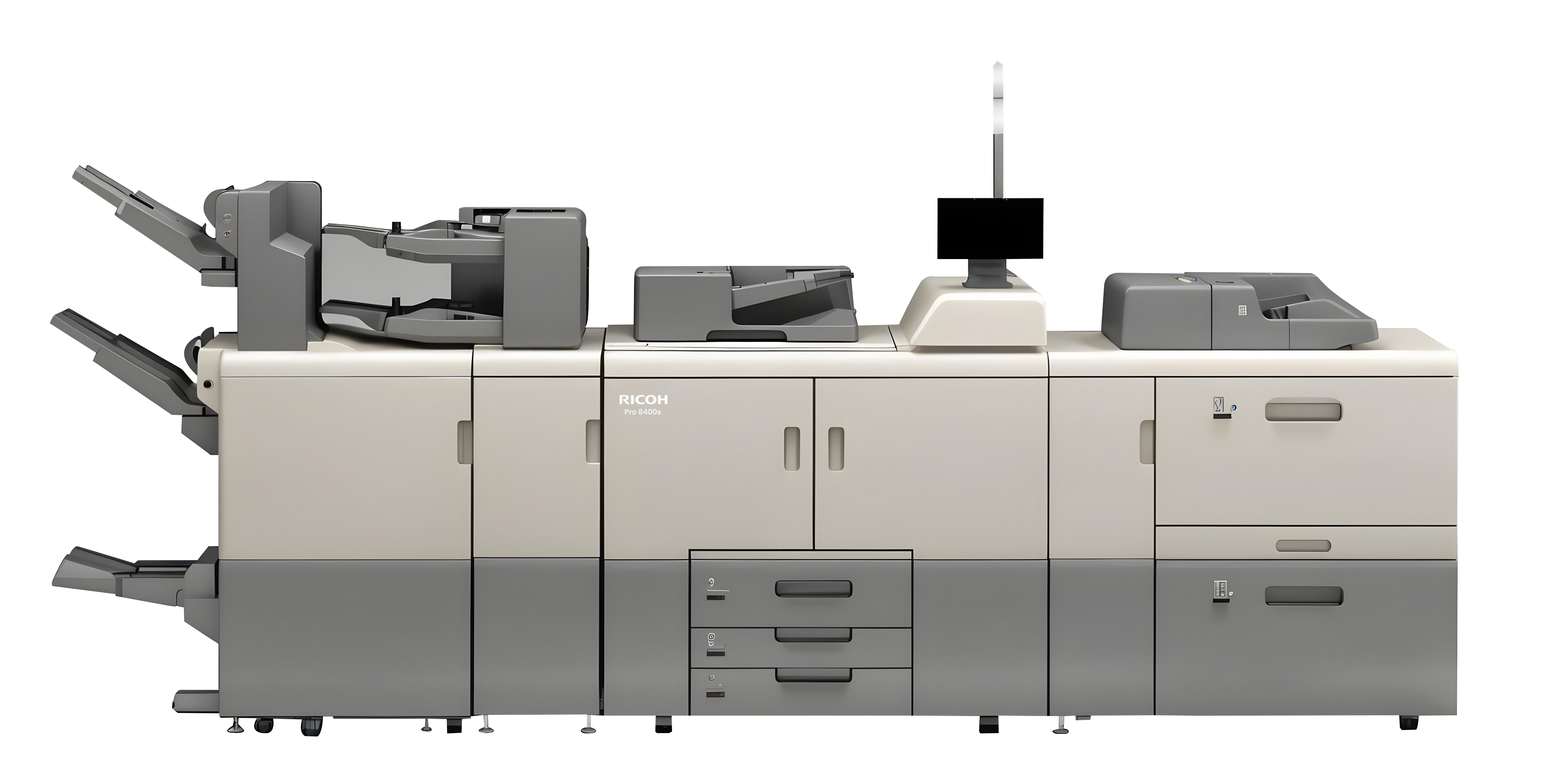
Monochrome Power | Professional Quality | Continuous Efficiency
High Volume, Consistent and Reliable Monochrome Production
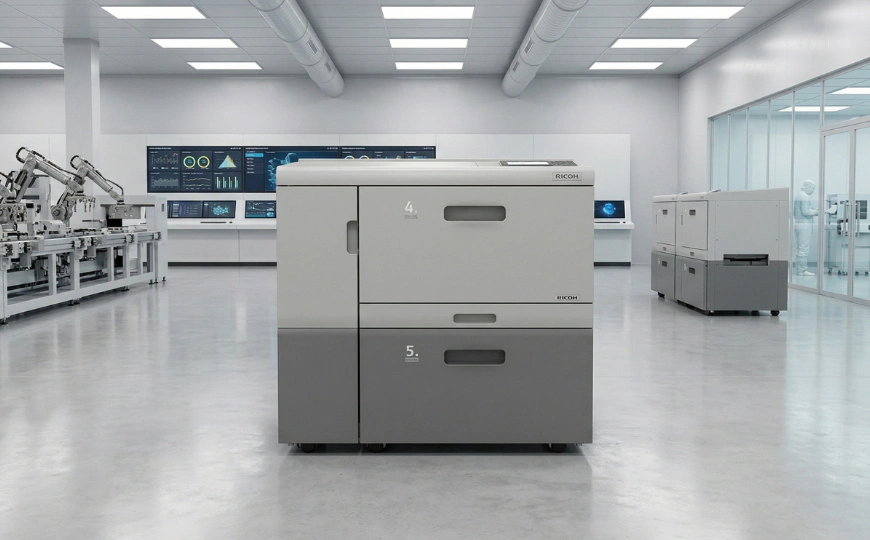
Ricoh Pro 8400S is a powerhouse printer designed for businesses that demand speed, efficiency, and precision. It can print up to 96 pages per minute; this high-speed monochrome printer delivers 2,400 x 4,800 dpi resolution with unparalleled accuracy.
- Print, Copy and Scan
- Prints at 96 pages per minute (PPM)
- Delivers 2,400 x 4,800 dpi resolution for sharp prints
- Auto Tray & Toner Switching – No Downtime Printing
- User-Friendly Smart 10.1” Touch Panel
Whether you’re printing business cards, brochures, or booklets, the Pro 8400S ensures uninterrupted printing with high quality.
Pro 8400s
Send An Enquiry Download BrochureFeatures
1. Fast, Efficient Production
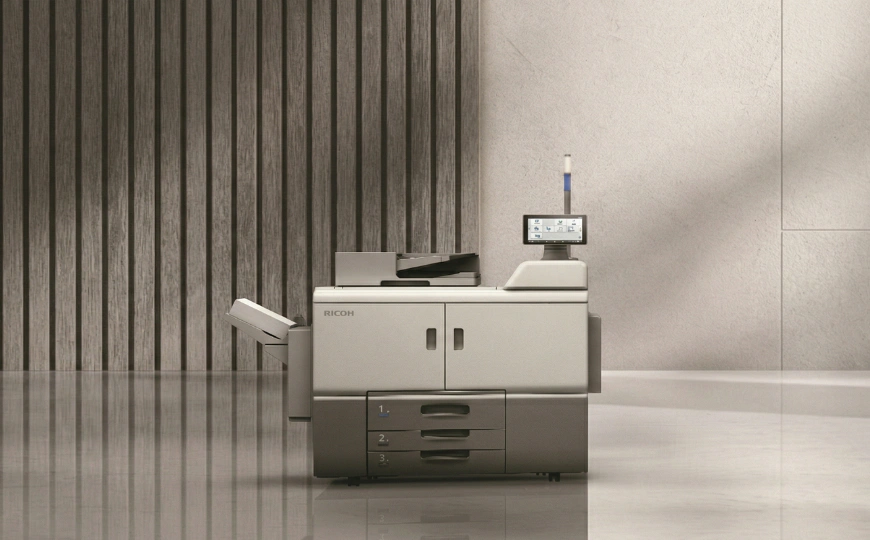
The RICOH Pro 8400S delivers 96 pages per minute, helping high-demand environments meet deadlines with confidence. The device reduces downtime with input and output tray auto-switching and twin toner bottles, allowing continuous operation even during long print runs. This makes it a dependable choice for schools, offices, and departments that require steady, high-volume output.
2. Crisp, High-Resolution Monochrome Quality
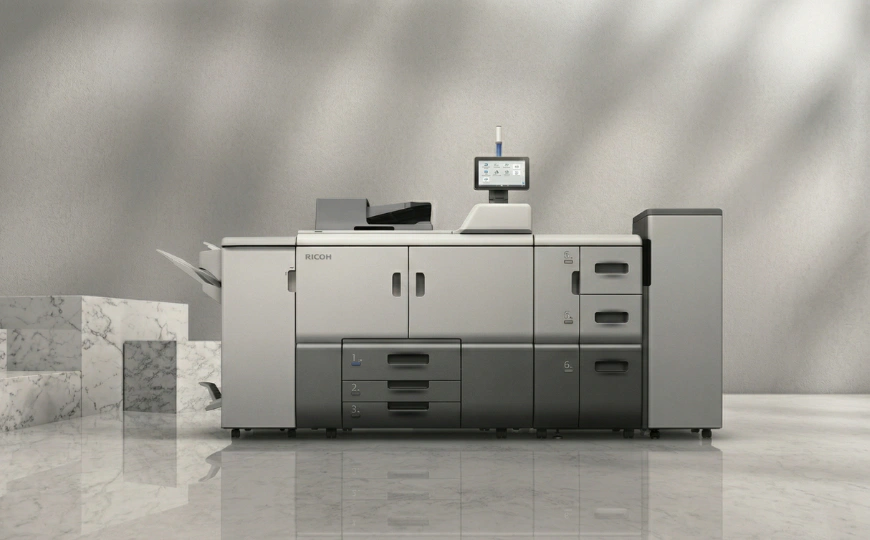
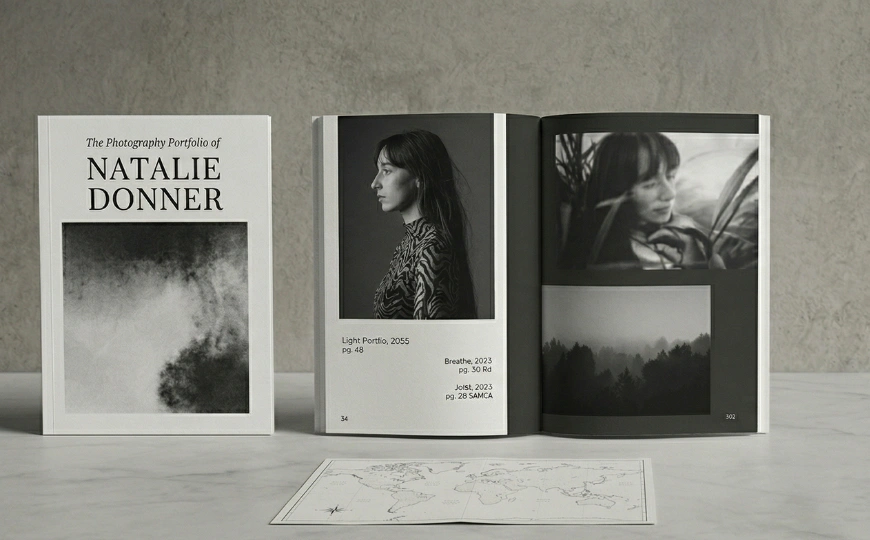
Ricoh’s advanced 40-beam VCSEL imaging technology ensures sharp, clear black-and-white prints with a resolution of 2,400 × 4,800 dpi. Text, charts, reports, and detailed documents maintain consistent, professional quality from the first page to the last. The oil-less belt fusing method supports smooth and stable printing, giving every document a clean, polished finish.
3. Simple, Smart Operation
The RICOH Pro 8400S features a 10.1-inch Smart Operation Panel that makes day-to-day operation simple and efficient. The touchscreen allows operators to access functions quickly, adjust settings, and monitor job progress with ease. Its clear layout and customisable interface help reduce operator effort and support smooth workflow in busy printing environments. This simplified interface reduces learning time for new users and improves efficiency in fast-paced print environments.
4. High-Speed Duplex Scanning
With its productive single-pass document feeder, the RICOH Pro 8400S simplifies the handling of large document sets. It scans both sides of a page simultaneously at speeds up to 280 images per minute and can feed up to 250 double-sided originals at once. The system supports batch scanning, automation for small documents like business cards, and versatile scan-to options for easy distribution.
5. Flexible Finishing & Scalable Configuration
The Pro 8400S can be configured with space-saving finishing systems to support a wide variety of outputs. Options such as the compact multipurpose finisher, booklet maker, hole punching, and stapling allow you to produce finished documents directly from the device. With the slimline A4 Large Capacity Input Tray (LCIT), paper capacity can be expanded to 8,300 sheets, supporting uninterrupted production.

6. Eco-Friendly & Energy Efficient
The RICOH Pro 8400S reflects Ricoh’s commitment to sustainability. It features industry-leading energy efficiency, helping reduce overall power consumption. The device uses 25% post-consumer recycled plastic, 33% recycled steel, and the packaging contains 50% less plastic compared to previous models. Ricoh also assembles these devices using 100% renewable energy, supporting a cleaner, greener production environment.
Ready to Support Your High-Volume Document Needs
The RICOH Pro 8400S is built to keep your workflows moving — with fast output, consistent quality, smart operation, and strong sustainability benefits. It helps organisations handle heavy document workloads with confidence, day after day. If you want a dependable monochrome production system that delivers reliability, efficiency, and ease of use, the Pro 8400S is designed to meet those demands.
Specifications
- Functions
- Copy, print, scan
- Colour
- No
- Printer controller – standard
- GWNX
- Printer controller – optional
- Fiery EB-36 controller
- Storage
- 640 GB (320 GB x 2)
- Document server
-
Maximum stored documents
3,000
Maximum pages of all stored documents
15,000Maximum storage period
1-180 days, 1-96 hours, or no limit - CPU
- Intel ApolloLake E3940 1.6 GHz
- Memory – standard
- 2 GB
- Operation panel
- 10.1″ Smart Operation Panel (G3)
- Physical dimensions (WxDxH)—mainframe
- 1,141 x 900 x 1,397 mm
- Physical dimensions (WxDxH)—other
- 540 x 730 x 1,000 mm—5,000-sheet LCIT RT5160 (A4)
865 x 730 x 1,000 mm—4,400-sheet LCIT RT5170 (A3)
1,054 x 730 x 1,000 mm—4,840-sheet Vacuum-Feed LCIT RT5150
690 x 561 x 210 mm—500-sheet Multi-Bypass Tray BY5020
760 x 730 x 980 mm—3,250-sheet Finisher SR5130
760 x 730 x 980 mm—3,250-sheet Booklet Finisher SR5140
1,113 x 730 x 1,490 mm—4,500-sheet Finisher SR5110
1,113 x 730 x 1,490 mm—3,500-sheet Booklet Finisher SR5120
1,115 x 591 x 555 mm—Trimmer Unit TR5050
330 x 730 x 1,350 mm—Cover Interposer CI5040
209 x 730 x 1,000 mm—Multi-Folding Unit FD5030
400 x 600 x 480 mm—Shift Sort Tray SH5000 - Weight—mainframe
- 428 kg
- Weight—other
- 106 kg—5,000-sheet LCIT RT5160 (A4)
185 kg—4,400-sheet LCIT RT5170 (A3)
230 kg—4,840-sheet Vacuum-Feed LCIT RT5150
20 kg—500-sheet Multi-Bypass Tray BY5020
40 kg—3,250-sheet Finisher SR5130
60 kg—3,250-sheet Finisher SR5140
135 kg—4,500-sheet Finisher SR5110
160 kg—3,500-sheet Booklet Finisher SR5120
75 kg—Trimmer Unit TR5050
50 kg—Cover Interposer CI5040
45 kg—Multi-Folding Unit FD5030
11 kg—Shift Sort Tray SH5000 - Minimum space requirements
-
100 mm—left
47 mm—rear
100 mm—right
57 mm—front
- Average monthly volume
- 95,000 prints
- Average monthly statement
- 75,000–300,000 prints—recommended document volume
- Max monthly volume
- 1,000,000 prints
- Machine life
- 60,000,000 prints or 5 years, whichever comes first
- Duty cycle
- 2,900,000 prints per month
- Supply yields
-
82,000 prints per toner bottle—two bottles can be installed
2,400,000 images per drum unit
860,000 prints per developer bag
1,200,000 sheets per waste toner bottle—selectable as supply or service part
Note: Toner yield is measured with the A4 LEF/6% test chart, and will vary depending on the original document, image sizes and type, and the device operating conditions.
5,000 staples per Type X cartridge for finisher SR5110/5120—normal staple
5,000 staples per Type V cartridge for finisher SR5130/5140—normal staple
5,000 staples per Type U cartridge for finisher SR5120—saddle stitch staple
2,000 staples per Type W cartridge for finisher SR5140—saddle stitch staple5 cartridges per Type X refill for finisher SR5110/5120—normal staple
3 cartridges per Type V refill for finisher SR5130/5140—normal staple
2 cartridges per Type T refill for finisher SR5120—saddle stitch staple
4 cartridges per Type W refill for finisher SR5140—saddle stitch staple
- Standard input capacity (sheets)
- 3,300 sheets (0.1mm)—2,200-sheet tandem tray + 550-sheet paper tray 2 + 550-sheet paper tray 3
3,000 sheets (0.11mm)—2,000-sheet tandem tray + 500-sheet paper tray 2 + 500-sheet paper tray 3 - Maximum input capacity (sheets)
- 8,850
- Maximum output capacity (sheets)
- 3,250
- Paper input configuration – standard
- 2,200-sheet tandem paper input tray (2 x 1,100 sheets), 2 x 550-sheet paper input trays, 220-sheet SPDF, duplex unit
- Paper input configuration – optional
- LCIT RT5160 (A4), LCIT RT5170 (A3), Vacuum-Feed LCT RT5150, Multi-Bypass Tray BY5020, A3/11″ x 17″ Tray Unit TK5020 (internal)
- Paper output configuration – optional
- Shift Sort Tray SH5000, Finisher SR5130, Booklet Finisher SR5140, Punch Unit PU3110, Output Jogger Unit Type S11, Booklet Finisher SR5120, Finisher SR5110, Punch Unit PU5030, Trimmer Unit TR5050 for Booklet Finisher SR5120, Cover Interposer CI5040, Decurl Unit DU5070, Multi-Folding Unit FD5030
- Supported media
-
Tray 1
Plain, Recycled/Coloured, Pre-Printed, Pre-punched, Bond paper, Card Stock, Back CopiedTray 2
Plain, Recycled/Coloured, Pre-Printed, Pre-punched, Bond paper, Card Stock, Back Copied, OHP, TransparencyTray 3
Plain, Recycled/Coloured, Pre-Printed, Pre-punched, Bond paper, Card Stock, Back Copied, TransparencyBypass tray
Plain, Recycled/Coloured, Letterhead, Pre-Printed, Pre-punched, Bond paper, Card Stock, OHP, Tab Stock, Back Copied, Transparency, Envelope
Note: Back Copied paper can be fed but quality is not guaranteed.LCIT RT5160
Plain, Recycled/Coloured, Letterhead, Pre-Printed, Pre-punched, Bond paper, Card Stock, OHP, Tab Stock, Back Copied, Transparency, Label
Note: Back Copied paper can be fed but quality is not guaranteed.LCIT RT5170
Plain, Recycled/Coloured, Letterhead, Pre-Printed, Pre-punched, Bond paper, Card Stock, OHP, Tab Stock, Back Copied, Transparency, Label, Envelope, Gloss/Matte
Note: Back Copied and Label paper can be fed but quality is not guaranteed.Vacuum-Feed LCIT RT5150
Plain, Recycled/Coloured, Letterhead, Pre-Printed, Pre-punched, Bond paper, Card Stock, OHP, Tab Stock, Back Copied, Transparency, Label, Envelope, Gloss/Matte, NCR
Note: Back Copied and NCR paper (Weight 0) can be fed but quality is not guaranteed. Pre-punched paper feeding direction must be specified. Pre-punched holes must be set to the trailing side of the paper. - Maximum paper size
- 13″ x 19.2″
- Media weight (g/m2)
- 40–350
- Limitless paper supply
- Supported
- Interfaces – standard
-
Mainframe
10Base-T/100Base-Tx/1000Base-T (Gigabit Ethernet)
USB 2.0 Type A—2 ports at rear of device, 2 on operation panel (1 card reader)
USB 2.0 Type B—1 port at rear of device
SD card slot—1 port at rear of device for card optionFiery EB-36 controller
10Base-T/100Base-Tx/1000Base-T (Gigabit Ethernet)
Display Port—2
USB 2.0 Type A—4 ports at rear of device
USB 3.2—2 ports at rear of device
USB 3.0—3 ports on Fiery Quick Touch panel - Interfaces – optional
-
Mainframe
IEEE 802.11 a/b/g/n/ac Interface Unit Type M52Fiery EB-36 controller
Not available - Network protocols – standard
-
GWNX controller
TCP/IP (IPv4, IPv6)Fiery EB-36 controller
TCP/IP (IPv4, IPv6)
- Copy speed
-
96 cpm
- First copy time
- 6.3 seconds or less
- Copy resolution
- 2,400 x 4,800 dpi—printing
600 x 600 dpi—scanning - Original size
- Maximum
297 x 432 mm
297 x 431.8 mm—SPDF - Quantity selection
- 1–9,999
- Job presets
- Up to 10 presets
- Job programs
- Up to 50 jobs
- Zoom range
- 25%–400%, in 1% steps
- Image density adjustment
- Supported—9 levels
- Image density adjustment
- 9 levels
- Copy modes
- Text, Photo, Text/Photo, Generation Copy, Pale
- Colour mode
- Greyscale—256 levels
- Book copy
- Supported
- Series copy
- Book to simplex, duplex to simplex
- Combine copy
-
2, 4, or 8 pages into 1 simplex sheet
1, 2, or 4 duplex pages into 1 simplex sheet
4, 8, or 16 pages into 1 duplex sheet
2, 4, or 8 duplex pages into 1 duplex sheet - Auto tray change
- Supported
- Centring
- Supported
- Cover sheet
- Front and back covers—copy or blank
- Slip sheet
- Supported
- Chaptering
- Up to 100 chapters
- Stapling
- Supported—with finisher
- Punch
- Supported—with finisher and punch unit
- Electronic sorting
- Without shift sort—supported
Rotate sort—not supported
Shift sort—supported—with finisher or shift sort tray - Margin/erase adjustment
-
Margin adjustment
0–30mm—in 1 mm steps
Default—Front page: 5mm left, Back page:5 mm rightErase centre and border
2–99 mm in 1 mm stepsCreep
Supported (magazine)Scan position
Supported - Image adjustment
- Sharp/soft—7 levels
Contrast—9 levels
Background density adjustment—9 levels - Image creation
- Repeated, Double copy, Positive/negative, Erase inside, Erase outside
- Stamps
-
User stamp—5 stamps
Date stamp—4 styles
Page numbering—6 styles
Preset stamp—8 stamps
Bates stamping—6 styles
Printing copy prevention pattern—supported - Other copy features
- Home UI customisation, My Operation Panel, Operation manual on operation panel, External USB keyboard, QWERTZ layout keyboard, AZERTY layout keyboard, Smart device-like operability, Tiltable operation panel, Interrupt copy, Import/Export of user preference settings, Centralised address book management, Job log data report printout, Subset stapling, Text and photo separation sensitivity adjustment—9 levels, Sample copy
- Print speed black and white
-
96 ppm
- Printing technology
- 40-beam Vertical-Cavity Surface-Emitting Laser (VCSEL)
- Fusing
- Oil-less belt-fusing method
- Print resolution
- 2,400 x 4,800 dpi—maximum
Note: Engine print resolution is 1,200 x 4,800 dpi. - Print margin
-
Lead edge
4.0 ± 0.5 mmTrail edge
4.0 ± 1.0 mm (Print)Front
2.0 ± 1.5 mmRear
2.0 ± 1.5 mm - Page description languages (PDLs)
-
Standard
PCL, PostScript 3 and PDF emulation, JPEG, TIFFOptional
Genuine Adobe PostScript 3 and PDF, Intelligent Printer Data Stream (IPDS), XPS - Printer driver resolution
- PCL 5
300 x 300 dpi, 600 x 600 dpi—1-bitPCL 6
600 x 600 dpi, 1,200 x 1,200 dpi—1-bitPostScript 3
300 x 300 dpi, 600 x 600 dpi, 1,200 x 1,200 dpi—1-bitIPDS
300 x 300 dpi, 600 x 600 dpi—1-bit - Duplex printing
- Standard
- Envelope printing
- Supported—Bypass Tray BY5020, LCIT RT5170, Vacuum-Feed LCIT RT5150
- Maximum printable area
-
Simplex, edge-to-edge print mode
320 x 457.2 mm—mainframe tray 2
320 x 487.7 mm—with A3 LCIT and bypass tray optionsNote: Image quality in areas that interfere with the print margins is not guaranteed.
- Fiery controller
-
EFI Fiery EB-36 print controller—optional
System version
Fiery FS600 ProConfiguration
ExternalPrinter driver languages
PostScript 3 (CPSI v3020 and APPE v6.0), PCL 6Resolution
1,200 dpi, 600 dpiFonts
PCL—80
PostScript 3—138Supported file formats
PS, PDF, EPS, TIFF, PPML, PDF/VT, FF1 &FF2 JPEG, DOC, DOCX, XLS, XLSX, PUB, PPT, PPTXVariable data printing (VDP)
PPML v3.0
Fiery FreeForm v1 and 2.1
PDF/VT-1 and PDF/VT-2 - Other print features
- Purge tray, Decurl unit—optional, Media Identification Unit—optional, Limitless toner supply—twin toner bottles, Double feed detection—mainframe (standard); document feeder (optional), Sample print, Locked print, Hold print, Scheduled print, Stored print, Store and Print, CLP simulation, PDF Direct print, Mail to print, Classification codes, Bonjour, Windows Active Directory support, DDNS, PCL resident font adoption, Tray parameter change from Web Image Monitor, WS printer, Media Direct Print (Print from USB), Automatic job promotion, Poster print, Job spool
- Scan speed
- 140 ipm—simplex
280 ipm—duplex - Scan methods
- Scan to USB/SD, Scan to email, Scan to folder (SMB, FTP) Scan to URL, Scan to PDF/A, Scan to digitally signed PDF, Scan to searchable PDF (embedded)
Note: Maximum scan size for 1,200 dpi is A5. - Scan mode
-
Black and white
Text, text/line art, text/photo, photo, greyscaleColour
Text/photo, glossy photo, Automatic Colour Selection - Scan area
- Main scan
297 mmSub-scan
432 mm
431.8 mm—from SPDF - Scanner compression methods
- Black and white
JBIG2, MH, MMR, MRColour
JPEG - Scanned file naming
- Supported—with reference number setting, for example, SCAN0001
- Image density adjustment
- Supported—9 levels
- Scan to file types
- Single- and multi-page TIFF
Single-page JPEG
Single- and multi-page PDF
Single-page high-compression PDF - Scan to file type support
-
Single-page TIFF
Black and white 1-bit—MH, MR, MMR, greyscale, full colourSingle-page JPEG
Black and white greyscale,JPEG full colour, JPEGSingle-page PDF
Black and white 1-bit—MH, MR, MMR, JBIG2, JPEG full colour, JPEG, greyscale full colourMulti-page TIFF/PDF
Black and white 1-bit, black and white greyscale, full colourSingle-page high-compression PDF
Black and white greyscale, JPEG full colour, JPEG - Scan to email
-
Protocols
IMAP4, POP, SMTPAuthentication
POP before SMTP authentication, SMTP authenticationScan resolution
100 dpi, 150 dpi,200 dpi (default), 300 dpi, 400 dpi, 600 dpiScan to email file types
Single-page
TIFF, JPEG, PDF, PDF/A, High Compression PDF, Encrypted PDF, Searchable PDFMulti-page
TIFF, PDF, PDF/A, High Compression PDF, Encrypted PDF, Searchable PDFNote: Optional OCR unit is required to support scanning to a Searchable PDF.
- Scan to email—other features
-
Scan to email size
128–102,400 KB—with restriction
700 MB—without restrictionMaximum email addresses per send
2,000—from HDD
500—direct input
100—via LDAPEmail addresses stored in HDD
Maximum email addresses—2,000
Maximum registered group addresses—500
Search method—by name, email addressBody message
Manual—maximum 80 characters over 1 line
User pre-registered—maximum 400 characters via soft key, 80 characters over 5 lines
Preset message—This e-mail includes attached file sent from <device name>Input subject
Manual and user pre-registered—maximum 128 characters via soft key
Preset message—supportedLDAP search
SupportedInput file name
SupportedInput of destination email address via soft key
SupportedSimultaneous transmission
Maximum 500 destinationsAttention
To, Cc, BccProgram registration
Up to 25 programsDivide and send
Divide by page or size; default divide by sizeResend
Yes—default/No, retry 3 times - Scan to folder
- Protocols
SMB, FTPResolution
100 dpi, 150 dpi, 200 dpi (default), 300 dpi, 400 dpi, 600 dpiSearch for client folders
SMB—browsing directly to the designated folderScan to folder file types
Single-page
TIFF, JPEG, PDF, PDF/A, high-compression PDFMulti-page
TIFF, PDF, PDF/A, high-compression PDF - Scan to folder—other features
-
Maximum client folder addresses stored in HDD
2,000Maintain folder addresses
SupportedDestination folder address input via soft key
SupportedDestination folder address input via operation panelSupported
Homefolder over LDAP
SupportedMaximum client folders/PCs per send
50 foldersSimultaneous transmission
50Group addresses
50 destinations can be registered per groupInput file name
SupportedMaximum file size
Default
2,000 MBWhen combined with Scan to email
2,000 MB—without restriction
Note: File size depends on the selected Scan to email file size restriction.Program registrationUp to 25 programs
Divide and send
Divide by page or sizeResend
Yes—default/No - Other scan features
-
SADF/batch mode, Mixed size mode, Reduce/enlarge scanning, Split scan from booklet, WS scanner, LDAP support (email), Preview before transmission, PDF encryption, Drop-out colour send, Distributed Scan Management
- Other supported environments
-
Fiery system requirements
Windows operating systems
These Windows versions (with latest service packs) are supported for printer drivers and Fiery applications:
Windows 10—64-bit
Windows 11—64-bit
Windows Server 2016—64-bit
Windows Server 2019
Windows Server 2022Note: Please visit the EFI website to confirm the latest supported OS.
Macintosh operating systemsThese Mac OS versions are supported for printer drivers:
Mac OS v10.15.11, 12, 13, 14Note: Please visit the EFI website to confirm the latest supported OS.
HDD—for printing and utilities except Command WorkStation
Windows—16 GB of available hard drive space
Mac OS X—7 GB of available hard drive spaceMemory (RAM)—for printing and utilities except Command WorkStation
Windows—4 GB of RAM or more recommended
Mac OS X—4 GB of RAM or more recommendedNetworking protocols
Windows—TCP/IP
Mac OS X—TCP/IP, BonjourCommand WorkStation
A monitor that supports 16-bit colour at a minimum resolution of 1,024 x 768 pixels
TCP/IP networking protocol installedWindows1.0 GHz or greater Pentium 4 processor
1 GB RAM or moreMac OS
Intel processor that supports the version of Mac OS installed
4 GB RAM or moreSeeQuence (Impose and Compose) on Command WorkStation
In addition to requirements for Command WorkStation:
Licence activation for every client workstation
Acrobat/PitStop software
- Standard
- Device management and monitoring
@Remote
Web Image Monitor
Device Manager NX LiteWorkflow solutions
Streamline NX
TotalFlow Production Manager
TotalFlow Prep
RICOH InfoPrint Manager
BatchBuilder
RICOH Process Director
RICOH Supervisor
FusionPro VDP Creator
- Power source
- 220–240 V, 50/60 Hz, 13 Amps—mainframe
100–240 V, 50/60 Hz, 1–1.5 Amps—Fiery controller - Power consumption
- 2,860 W—maximum
0.94 W—Energy Saver Mode (Sleep Mode) - Power consumption—options
- 224 W—5,000-sheet LCIT RT5160 (A4)
324 W or less—4,400-sheet LCIT RT5170 (A3)
1,000 W—4,840-sheet Vacuum-Feed LCIT RT5150
67 W—3,250-sheet Finisher SR5130
67 W—3,250-sheet Booklet Finisher SR5140
15 W—Output Jogger Unit Type S11
150 W—4,500-sheet Finisher SR5110
150 W—3,500-sheet Booklet Finisher SR5120
250 W maximum, 75 W average—Trimmer Unit TR5050
20 W—Shift Sort Tray SH5000
110 W excluding peak consumption—Cover Interposer CI5040
30 W or less—Decurl Unit DU5070
60 W or less—Multi-Folding Unit FD5030
80 W—Fiery EB-36 controller - Typical Electricity Consumption (TEC)
- 11.9 kWh
- Warm-up time
- 300 seconds or less—at temperature of 23°C
- Sound power level
-
Mainframe
60.4 dB or less—standby
71 dB or less—printingFull system
72.6 dB or less—printing - Emission levels
- 0.02 mg/h or less—benzene
1.5 mg/h or less—dust
0.48 mg/h or less—ozone
0.10 mg/h or less—styrene - Total Volatile Organic Compounds (TVOC)
- 4.18 mg/h—printing
0.0092 mg/h—standby - Safety standards
-
EN62368-1
IEC60950-1 - Electromagnetic Compatibility (EMC) standards
-
EN62311
EN55032
EN55035
EN61000-3-2, EN61000-3-3
AS/NZS CISPR32 - Wireless LAN standards
- EN301489-1
EN301489-3
EN301489-17
AS/NZS 4268
Stay Informed, Stay Ahead
Subscribe to our Newsletter for Exclusive Insights and Updates!